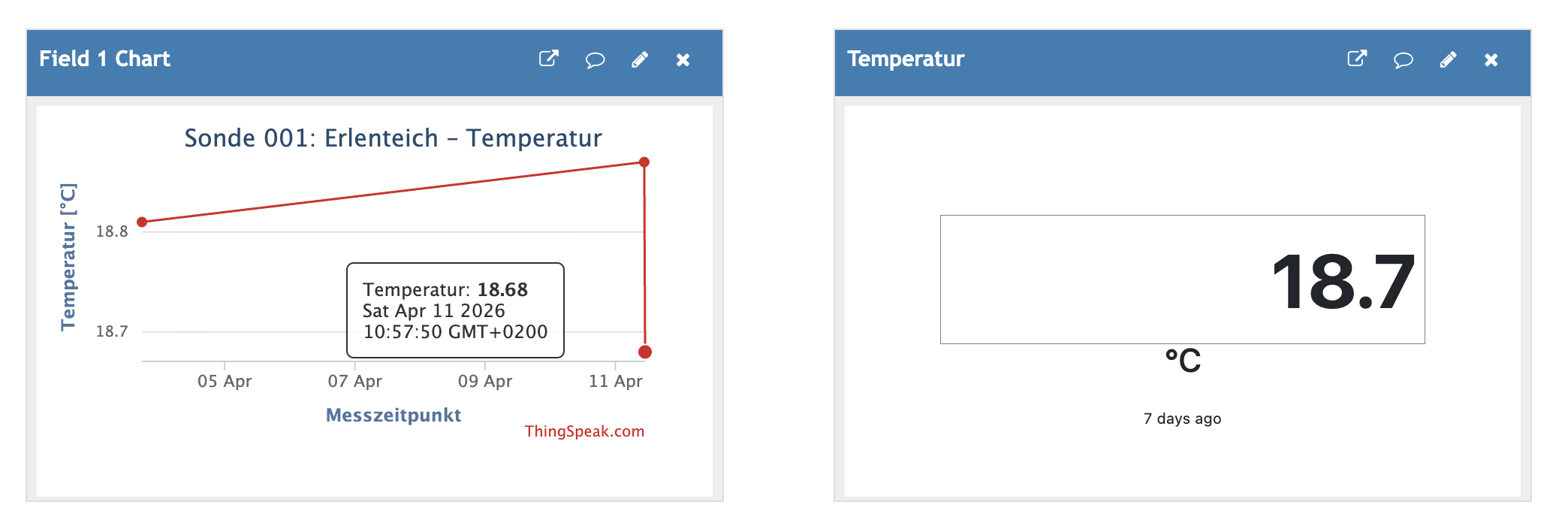
Right now it appears there’s a bigger problem than any delays or millis() on my side.
Using RadioLib persistence, I have the following codes:
The main code:
/*
CHANGE LOG
17.10.2025: Offsets auskommentiert um Sensoren zu testen.
30.10.2025: Neue Kalibrierwerte eingegeben.
*/


/*

ORIGINAL COMMENT FROM RADIOLIB PERSISTENCE DEEP SLEEP EXAMPLE

This demonstrates how to save the join information in to permanent memory
so that if the power fails, batteries run out or are changed, the rejoin
is more efficient & happens sooner due to the way that LoRaWAN secures
the join process - see the wiki for more details.

This is typically useful for devices that need more power than a battery
driven sensor - something like a air quality monitor or GPS based device that
is likely to use up it's power source resulting in loss of the session.

The relevant code is flagged with a ##### comment

Saving the entire session is possible but not demonstrated here - it has
implications for flash wearing and complications with which parts of the
session may have changed after an uplink. So it is assumed that the device
is going in to deep-sleep, as below, between normal uplinks.

Once you understand what happens, feel free to delete the comments and
Serial.prints - we promise the final result isn't that many lines.

*/

#if !defined(ESP32)
  #pragma error ("This is not the example your device is looking for - ESP32 only")
#endif

// ##### load the ESP32 preferences facilites
#include <Preferences.h>
Preferences store;

// LoRaWAN config, credentials & pinmap
#include "config.h"
#include <RadioLib.h>

// andere Bibliotheken
#include <Arduino.h>
#include <OneWire.h>

// ––––––––––––––––––– BEGINN SENSORIK –––––––––––––––––––

// PINBELEGUNG
#define TE_PIN 7 // Temperatur
#define PH_PIN 6 // pH-Werte
#define TDS_PIN 5 // Feststoffe
#define DO_PIN 3 // Sauerstoff
#define VReg 47 // Enable Pin

// -- Temperatur
//Temperature chip i/o
OneWire ds(TE_PIN);
#define VREF    3300//VREF(mv)
#define ADC_RES 4096//ADC Resolution

// -- pH
float voltage, phValue;
// letzte Aktualisierung der pH-Werte am 30.10.2025 (JBL-Sensor)
float acidVoltage = 2158.88;     // Voltage at pH 4, war 2119.95 (Amazon)
float neutralVoltage = 1674.52;  // Voltage at pH 7, war 1632.55 (Amazon)
const float calibTemp = 16.44;    // Kalibriertemperatur in °C

// -- Feststoffe (TDS)
#define adcRange 4096.0 // 1024.0 für Arduino
#define aref 3.3 // 5.0 für Arduino
#define kValue 0.96 // war 1.38, konnte ich nicht kalibrieren
#define tdsFactor 0.5 // abhängig von Wassergüte, zw. 0.5 und 0.7
float analogValue, tdsVoltage, tempoVal, Conductivity, tdsValue;

// -- Sauerstoff
// Single-point calibration Mode=0
// Two-point calibration Mode=1
#define TWO_POINT_CALIBRATION 1 // wir nutzen zwei Punkte

// Single point calibration needs to be filled CAL1_V and CAL1_T
#define CAL1_V (735.03) //mv, hohe Temperatur DO gesättigt, war 837.47
#define CAL1_T (32.75)   //℃, hohe Temperatur DO gesättigt, war 30.90
// Two-point calibration needs to be filled CAL2_V and CAL2_T
// CAL1 High temperature point, CAL2 Low temperature point
#define CAL2_V (423.77) //mv, niedrige Temperatur DO gesättigt, bei Nullsauerstoff wäre es 28.09, war 584.08
#define CAL2_T (14.29)   //℃, niedrige Temperatur DO gesättigt, bei Nullsauerstoff wäre es 19.47, war 16.17

const uint16_t DO_Table[41] = {
    14460, 14220, 13820, 13440, 13090, 12740, 12420, 12110, 11810, 11530,
    11260, 11010, 10770, 10530, 10300, 10080, 9860, 9660, 9460, 9270,
    9080, 8900, 8730, 8570, 8410, 8250, 8110, 7960, 7820, 7690,
    7560, 7430, 7300, 7180, 7070, 6950, 6840, 6730, 6630, 6530, 6410};

//uint8_t Temperaturet;
uint16_t ADC_Raw;
uint16_t ADC_Voltage;
uint16_t DO;

int16_t readDO(uint32_t voltage_mv, uint8_t Temp)
{
#if TWO_POINT_CALIBRATION == 0
  uint16_t V_saturation = (uint32_t)CAL1_V + (uint32_t)35 * Temp - (uint32_t)CAL1_T * 35;
  return (voltage_mv * DO_Table[Temp] / V_saturation);
#else
  uint16_t V_saturation = (int16_t)((int8_t)Temp - CAL2_T) * ((uint16_t)CAL1_V - CAL2_V) / ((uint8_t)CAL1_T - CAL2_T) + CAL2_V;
  return (voltage_mv * DO_Table[Temp] / V_saturation);
#endif
}

// ––––––––––––––––––– ENDE SENSORIK –––––––––––––––––––

// utilities & vars to support ESP32 deep-sleep. The RTC_DATA_ATTR attribute
// puts these in to the RTC memory which is preserved during deep-sleep
RTC_DATA_ATTR uint16_t bootCount = 0;
RTC_DATA_ATTR uint16_t bootCountSinceUnsuccessfulJoin = 0;
RTC_DATA_ATTR uint8_t LWsession[RADIOLIB_LORAWAN_SESSION_BUF_SIZE];

// abbreviated version from the Arduino-ESP32 package, see
// https://espressif-docs.readthedocs-hosted.com/projects/arduino-esp32/en/latest/api/deepsleep.html
// for the complete set of options
void print_wakeup_reason() {
  esp_sleep_wakeup_cause_t wakeup_reason = esp_sleep_get_wakeup_cause();
  if (wakeup_reason == ESP_SLEEP_WAKEUP_TIMER) {
    Serial.println(F("Wake from sleep"));
  } else {
    Serial.print(F("Wake not caused by deep sleep: "));
    Serial.println(wakeup_reason);
  }

  Serial.print(F("Boot count: "));
  Serial.println(++bootCount);      // increment before printing
}

// put device in to lowest power deep-sleep mode
void gotoSleep(uint32_t seconds) {
  esp_sleep_enable_timer_wakeup(seconds * 1000UL * 1000UL); // function uses uS
  Serial.println(F("Sleeping\n"));
  Serial.flush();

  esp_deep_sleep_start();

  // if this appears in the serial debug, we didn't go to sleep!
  // so take defensive action so we don't continually uplink
  Serial.println(F("\n\n### Sleep failed, delay of 5 minutes & then restart ###\n"));
  delay(5UL * 60UL * 1000UL);
  ESP.restart();
}

int16_t lwActivate() {
  int16_t state = RADIOLIB_ERR_UNKNOWN;

  // setup the OTAA session information
  node.beginOTAA(joinEUI, devEUI, NULL, appKey);

  Serial.println(F("Recalling LoRaWAN nonces & session"));
  // ##### setup the flash storage
  store.begin("radiolib");
  // ##### if we have previously saved nonces, restore them and try to restore session as well
  if (store.isKey("nonces")) {
    uint8_t buffer[RADIOLIB_LORAWAN_NONCES_BUF_SIZE];										// create somewhere to store nonces
    store.getBytes("nonces", buffer, RADIOLIB_LORAWAN_NONCES_BUF_SIZE);	// get them from the store
    state = node.setBufferNonces(buffer); 															// send them to LoRaWAN
    debug(state != RADIOLIB_ERR_NONE, F("Restoring nonces buffer failed"), state, false);

    // recall session from RTC deep-sleep preserved variable
    state = node.setBufferSession(LWsession); // send them to LoRaWAN stack

    // if we have booted more than once we should have a session to restore, so report any failure
    // otherwise no point saying there's been a failure when it was bound to fail with an empty LWsession var.
    debug((state != RADIOLIB_ERR_NONE) && (bootCount > 1), F("Restoring session buffer failed"), state, false);

    // if Nonces and Session restored successfully, activation is just a formality
    // moreover, Nonces didn't change so no need to re-save them
    if (state == RADIOLIB_ERR_NONE) {
      Serial.println(F("Succesfully restored session - now activating"));
      state = node.activateOTAA();
      debug((state != RADIOLIB_LORAWAN_SESSION_RESTORED), F("Failed to activate restored session"), state, true);

      // ##### close the store before returning
      store.end();
      return(state);
    }

  } else {  // store has no key "nonces"
    Serial.println(F("No Nonces saved - starting fresh."));
  }

  // if we got here, there was no session to restore, so start trying to join
  state = RADIOLIB_ERR_NETWORK_NOT_JOINED;
  while (state != RADIOLIB_LORAWAN_NEW_SESSION) {
    Serial.println(F("Join ('login') to the LoRaWAN Network"));
    state = node.activateOTAA();

    // ##### save the join counters (nonces) to permanent store
    Serial.println(F("Saving nonces to flash"));
    uint8_t buffer[RADIOLIB_LORAWAN_NONCES_BUF_SIZE];           // create somewhere to store nonces
    uint8_t *persist = node.getBufferNonces();                  // get pointer to nonces
    memcpy(buffer, persist, RADIOLIB_LORAWAN_NONCES_BUF_SIZE);  // copy in to buffer
    store.putBytes("nonces", buffer, RADIOLIB_LORAWAN_NONCES_BUF_SIZE); // send them to the store

    // we'll save the session after an uplink

    if (state != RADIOLIB_LORAWAN_NEW_SESSION) {
      Serial.print(F("Join failed: "));
      Serial.println(state);

      // how long to wait before join attempts. This is an interim solution pending
      // implementation of TS001 LoRaWAN Specification section #7 - this doc applies to v1.0.4 & v1.1
      // it sleeps for longer & longer durations to give time for any gateway issues to resolve
      // or whatever is interfering with the device <-> gateway airwaves.
      uint32_t sleepForSeconds = min((bootCountSinceUnsuccessfulJoin++ + 1UL) * 60UL, 3UL * 60UL);
      Serial.print(F("Boots since unsuccessful join: "));
      Serial.println(bootCountSinceUnsuccessfulJoin);
      Serial.print(F("Retrying join in "));
      Serial.print(sleepForSeconds);
      Serial.println(F(" seconds"));

      gotoSleep(sleepForSeconds);

    } // if activateOTAA state
  } // while join

  Serial.println(F("Joined"));

  // reset the failed join count
  bootCountSinceUnsuccessfulJoin = 0;

  delay(1000);  // hold off off hitting the airwaves again too soon - an issue in the US

  // ##### close the store
  store.end();
  return(state);
}

// setup & execute all device functions ...
void setup() {
  Serial.begin(115200);

  // Enable, aktiviert Stromverbindung zu Sensoren
  pinMode(VReg, OUTPUT);
  digitalWrite(VReg, HIGH);
  delay(3000);  // Sensoren aktivieren und warten, bis Werte stabil

  // while (!Serial);  							// wait for serial to be initalised // commented out because no serial
  delay(2000);  									// give time to switch to the serial monitor
  Serial.println(F("\nSetup"));
  print_wakeup_reason();

  int16_t state = 0;  						// return value for calls to RadioLib

  // setup the radio based on the pinmap (connections) in config.h
  Serial.println(F("Initalise the radio"));
  state = radio.begin();
  debug(state != RADIOLIB_ERR_NONE, F("Initalise radio failed"), state, true);

  // activate node by restoring session or otherwise joining the network
  state = lwActivate();
  // state is one of RADIOLIB_LORAWAN_NEW_SESSION or RADIOLIB_LORAWAN_SESSION_RESTORED

  // ----- and now for the main event -----
  Serial.println(F("Sending uplink"));

  // ––––––––––––––––––– BEGINN SENSORIK –––––––––––––––––––

  // -- TEMPERATUR
  byte data[12];
  byte addr[8];
  float temperature = -1000;

  if ( !ds.search(addr)) {
    //no more sensors on chain, reset search
    ds.reset_search();
  }

  if ( OneWire::crc8( addr, 7) != addr[7]) {
    Serial.println("CRC is not valid!");
  }

  if ( addr[0] != 0x10 && addr[0] != 0x28) {
    Serial.print("Device is not recognized");
  }

  ds.reset();
  ds.select(addr);
  ds.write(0x44,1); // start conversion, with parasite power on at the end

  delay(750);         // Wartezeit für 12-bit Auflösung

  byte present = ds.reset();
  ds.select(addr);
  ds.write(0xBE); // Read Scratchpad


  for (int i = 0; i < 9; i++) { // we need 9 bytes
    data[i] = ds.read();
  }

  ds.reset_search();

  byte MSB = data[1];
  byte LSB = data[0];

  float tempRead = ((MSB << 8) | LSB); //using two's compliment
  temperature = tempRead / 16;

  // -- PH (JBL-Sensor mit Kalibrierung vom 30.10.2025)
  voltage = analogRead(PH_PIN) / 4096.0 * 3300.0;  // voltage in mV

  // ---- Temperaturkompensierte Berechnung ----
  float nernstSlopeCalib = 59.16 * (calibTemp + 273.15) / 298.15;
  float nernstSlopeNow   = 59.16 * (temperature + 273.15) / 298.15;
  float tempCompFactor   = nernstSlopeNow / nernstSlopeCalib;

  // Berechne Steigung und Offset
  float rawSlope = (7.0 - 4.0) / ((neutralVoltage - 1500.0) / 3.0 - (acidVoltage - 1500.0) / 3.0);
  float slope = rawSlope * tempCompFactor;
  float intercept = 7.0 - slope * (neutralVoltage - 1500.0) / 3.0;

  // pH-Wert berechnen
  phValue = slope * (voltage - 1500.0) / 3.0 + intercept;

  // -- TDS UND LEITFÄHIGKEIT
  analogValue = analogRead(TDS_PIN);
  tdsVoltage = analogValue / adcRange * aref;
  tempoVal = (133.42*tdsVoltage*tdsVoltage*tdsVoltage - 255.86*tdsVoltage*tdsVoltage + 857.39*tdsVoltage)*kValue;
  Conductivity = tempoVal / (1.0+0.02*(temperature-25.0));  //temperature compensation
  tdsValue = Conductivity * tdsFactor;

  // -- SAUERSTOFF
  ADC_Raw = analogRead(DO_PIN);
  ADC_Voltage = uint32_t(VREF) * ADC_Raw / ADC_RES;
  DO = readDO(ADC_Voltage, temperature);
  float DO_val = DO / 1000.0; // convert DO unit to mg/L

  delay(1000);

  // –– AUSGABE (nur zum Debuggen)
  Serial.print("Temp.: ");
  Serial.print(temperature);
  Serial.print(" °C | pH: ");
  Serial.print(phValue);
  Serial.print(" | Feststoffe (TDS): ");
  Serial.print(tdsValue);
  Serial.print(" ppm | Leitf.: ");
  Serial.print(Conductivity);
  Serial.print(" µS/cm | Sauerstoff: ");
  Serial.print(DO_val);
  Serial.println(" mg/L");

  // Spannungen ausgeben
  Serial.print("pH Volt: ");
  Serial.print(voltage);
  Serial.print(" | TDS Volt: ");
  Serial.print(tdsVoltage);
  Serial.print(" | DO Volt: ");
  Serial.println(ADC_Voltage);

  // ––––––––––––––––––– ENDE SENSORIK –––––––––––––––––––

  // 17.10.2025: Wir nehmen einmal die Offsets raus um den Code zu testen.
  /*
  temperature = temperature + 1.0; // Offset ca 1°C
  phValue = phValue + 2.0; // Offset ca 2
  tdsValue = tdsValue + 550.0; // irgendwann mal TDS Sensor kalibrieren
  Conductivity = tdsValue * 2;
  DO_val = DO_val + 4.0; // etwa Offset von 4mg/L
  */

  // OFFSETS
  phValue = phValue + 4.0;

  // INTEGER CONVERSIONS
  int int_temp = temperature * 100; // EC-Sensor kann in 0-50°C operieren
  int int_ph = phValue * 100; // Wertebereich: 0 — 14
  int int_tds = tdsValue * 100; // Wertebereich: 0 — 1000 ppm
  int int_ec = Conductivity * 100; // Wertebereich: 100 - 2000 μS/cm (empfohlen)
  int int_do = DO_val * 100; // Wertebereich: 0 — 20 mg/L

  // PAYLOAD AUFBAU
  uint8_t uplinkPayload[12];
  // -- Temperatur
  uplinkPayload[0] = int_temp >> 8;
  uplinkPayload[1] = int_temp;
  // -- pH-Wert
  uplinkPayload[2] = int_ph >> 8;
  uplinkPayload[3] = int_ph;
  // -- Feststoffe (TDS)
  uplinkPayload[4] = int_tds >> 8;
  uplinkPayload[5] = int_tds;
  // -- Leitfähigkeit (EC)
  //uplinkPayload[6] = int_ec >> 8;
  //uplinkPayload[7] = int_ec;
  // -- gelöster Sauerstoff (DO)
  uplinkPayload[6] = int_do >> 8;
  uplinkPayload[7] = int_do;

  // perform an uplink
  state = node.sendReceive(uplinkPayload, sizeof(uplinkPayload));
  debug((state < RADIOLIB_ERR_NONE) && (state != RADIOLIB_ERR_NONE), F("Error in sendReceive"), state, false);

  Serial.print(F("FCntUp: "));
  Serial.println(node.getFCntUp());

  // now save session to RTC memory
  uint8_t *persist = node.getBufferSession();
  memcpy(LWsession, persist, RADIOLIB_LORAWAN_SESSION_BUF_SIZE);

  // wait until next uplink - observing legal & TTN FUP constraints
  gotoSleep(uplinkIntervalSeconds);

}


// The ESP32 wakes from deep-sleep and starts from the very beginning.
// It then goes back to sleep, so loop() is never called and which is
// why it is empty.

void loop() {}
Code for config.h (not my actual DevUI and AppKey):
#ifndef _RADIOLIB_EX_LORAWAN_CONFIG_H
#define _RADIOLIB_EX_LORAWAN_CONFIG_H

#include <RadioLib.h>

// first you have to set your radio model and pin configuration
// this is provided just as a default example
SX1262 radio = new Module(8, 14, 12, 13);

// if you have RadioBoards (https://github.com/radiolib-org/RadioBoards)
// and are using one of the supported boards, you can do the following:
/*
#define RADIO_BOARD_AUTO
#include <RadioBoards.h>

Radio radio = new RadioModule();
*/

// how often to send an uplink - consider legal & FUP constraints - see notes
const uint32_t uplinkIntervalSeconds = 5UL * 60UL;    // minutes x seconds, sends every 15 minutes

// joinEUI - previous versions of LoRaWAN called this AppEUI
// for development purposes you can use all zeros - see wiki for details
#define RADIOLIB_LORAWAN_JOIN_EUI  0x0000000000000000

// the Device EUI & two keys can be generated on the TTN console
#ifndef RADIOLIB_LORAWAN_DEV_EUI   // Replace with your Device EUI
#define RADIOLIB_LORAWAN_DEV_EUI   0x0000000000000000
#endif
#ifndef RADIOLIB_LORAWAN_APP_KEY   // Replace with your App Key
#define RADIOLIB_LORAWAN_APP_KEY   {0x00, 0x00, 0x00, 0x00, 0x00, 0x00, 0x00, 0x00, 0x00, 0x00, 0x00, 0x00, 0x00, 0x00, 0x00, 0x00}
#endif
//#ifndef RADIOLIB_LORAWAN_NWK_KEY   // Put your Nwk Key here
//#define RADIOLIB_LORAWAN_NWK_KEY   {0x00, 0x00, 0x00, 0x00, 0x00, 0x00, 0x00, 0x00, 0x00, 0x00, 0x00, 0x00, 0x00, 0x00, 0x00, 0x00}
//#endif

// for the curious, the #ifndef blocks allow for automated testing &/or you can
// put your EUI & keys in to your platformio.ini - see wiki for more tips

// regional choices: EU868, US915, AU915, AS923, AS923_2, AS923_3, AS923_4, IN865, KR920, CN500
const LoRaWANBand_t Region = EU868;
const uint8_t subBand = 0;  // For US915, change this to 2, otherwise leave on 0

// ============================================================================
// Below is to support the sketch - only make changes if the notes say so ...

// copy over the EUI's & keys in to the something that will not compile if incorrectly formatted
uint64_t joinEUI =   RADIOLIB_LORAWAN_JOIN_EUI;
uint64_t devEUI  =   RADIOLIB_LORAWAN_DEV_EUI;
uint8_t appKey[] =  RADIOLIB_LORAWAN_APP_KEY ;
//uint8_t nwkKey[] =  RADIOLIB_LORAWAN_NWK_KEY ;

// create the LoRaWAN node
LoRaWANNode node(&radio, &Region, subBand);

// result code to text - these are error codes that can be raised when using LoRaWAN
// however, RadioLib has many more - see https://jgromes.github.io/RadioLib/group__status__codes.html for a complete list
String stateDecode(const int16_t result) {
  switch (result) {
  case RADIOLIB_ERR_NONE:
    return "ERR_NONE";
  case RADIOLIB_ERR_CHIP_NOT_FOUND:
    return "ERR_CHIP_NOT_FOUND";
  case RADIOLIB_ERR_PACKET_TOO_LONG:
    return "ERR_PACKET_TOO_LONG";
  case RADIOLIB_ERR_RX_TIMEOUT:
    return "ERR_RX_TIMEOUT";
  case RADIOLIB_ERR_CRC_MISMATCH:
    return "ERR_CRC_MISMATCH";
  case RADIOLIB_ERR_INVALID_BANDWIDTH:
    return "ERR_INVALID_BANDWIDTH";
  case RADIOLIB_ERR_INVALID_SPREADING_FACTOR:
    return "ERR_INVALID_SPREADING_FACTOR";
  case RADIOLIB_ERR_INVALID_CODING_RATE:
    return "ERR_INVALID_CODING_RATE";
  case RADIOLIB_ERR_INVALID_FREQUENCY:
    return "ERR_INVALID_FREQUENCY";
  case RADIOLIB_ERR_INVALID_OUTPUT_POWER:
    return "ERR_INVALID_OUTPUT_POWER";
  case RADIOLIB_ERR_NETWORK_NOT_JOINED:
	  return "RADIOLIB_ERR_NETWORK_NOT_JOINED";
  case RADIOLIB_ERR_DOWNLINK_MALFORMED:
    return "RADIOLIB_ERR_DOWNLINK_MALFORMED";
  case RADIOLIB_ERR_INVALID_REVISION:
    return "RADIOLIB_ERR_INVALID_REVISION";
  case RADIOLIB_ERR_INVALID_PORT:
    return "RADIOLIB_ERR_INVALID_PORT";
  case RADIOLIB_ERR_NO_RX_WINDOW:
    return "RADIOLIB_ERR_NO_RX_WINDOW";
  case RADIOLIB_ERR_INVALID_CID:
    return "RADIOLIB_ERR_INVALID_CID";
  case RADIOLIB_ERR_UPLINK_UNAVAILABLE:
    return "RADIOLIB_ERR_UPLINK_UNAVAILABLE";
  case RADIOLIB_ERR_COMMAND_QUEUE_FULL:
    return "RADIOLIB_ERR_COMMAND_QUEUE_FULL";
  case RADIOLIB_ERR_COMMAND_QUEUE_ITEM_NOT_FOUND:
    return "RADIOLIB_ERR_COMMAND_QUEUE_ITEM_NOT_FOUND";
  case RADIOLIB_ERR_JOIN_NONCE_INVALID:
    return "RADIOLIB_ERR_JOIN_NONCE_INVALID";
  //case RADIOLIB_ERR_N_FCNT_DOWN_INVALID:
    //return "RADIOLIB_ERR_N_FCNT_DOWN_INVALID";
  //case RADIOLIB_ERR_A_FCNT_DOWN_INVALID:
    //return "RADIOLIB_ERR_A_FCNT_DOWN_INVALID";
  case RADIOLIB_ERR_DWELL_TIME_EXCEEDED:
    return "RADIOLIB_ERR_DWELL_TIME_EXCEEDED";
  case RADIOLIB_ERR_CHECKSUM_MISMATCH:
    return "RADIOLIB_ERR_CHECKSUM_MISMATCH";
  case RADIOLIB_ERR_NO_JOIN_ACCEPT:
    return "RADIOLIB_ERR_NO_JOIN_ACCEPT";
  case RADIOLIB_LORAWAN_SESSION_RESTORED:
    return "RADIOLIB_LORAWAN_SESSION_RESTORED";
  case RADIOLIB_LORAWAN_NEW_SESSION:
    return "RADIOLIB_LORAWAN_NEW_SESSION";
  case RADIOLIB_ERR_NONCES_DISCARDED:
    return "RADIOLIB_ERR_NONCES_DISCARDED";
  case RADIOLIB_ERR_SESSION_DISCARDED:
    return "RADIOLIB_ERR_SESSION_DISCARDED";
  }
  return "See https://jgromes.github.io/RadioLib/group__status__codes.html";
}

// helper function to display any issues
void debug(bool failed, const __FlashStringHelper* message, int state, bool halt) {
  if(failed) {
    Serial.print(message);
    Serial.print(" - ");
    Serial.print(stateDecode(state));
    Serial.print(" (");
    Serial.print(state);
    Serial.println(")");
    while(halt) { delay(1); }
  }
}

// helper function to display a byte array
void arrayDump(uint8_t *buffer, uint16_t len) {
  for(uint16_t c = 0; c < len; c++) {
    char b = buffer[c];
    if(b < 0x10) { Serial.print('0'); }
    Serial.print(b, HEX);
  }
  Serial.println();
}

#endif
In the Serial Monitor, I receive the output Join failed: -1116 and the TTN console states DevNonce is too small. This is the code I’ve been using for almost a year without issues (only changed calibration values some times [newest calibration from last week is not yet included]).
The device is using LoRaWAN Specification 1.0.4 and RP002 Regional Parameters 1.0.4 ever since I created it last year in August. Up to last week, it worked flawlessly. I never encountered the DevNonce error before. My gateway is up and receiving uplinks.

 I will buy him some chocolate for when I see him next.